



























































Tri-Fold vs Bi-Fold vs Z-Fold vs Gate-Fold Brochures: Layout Guide
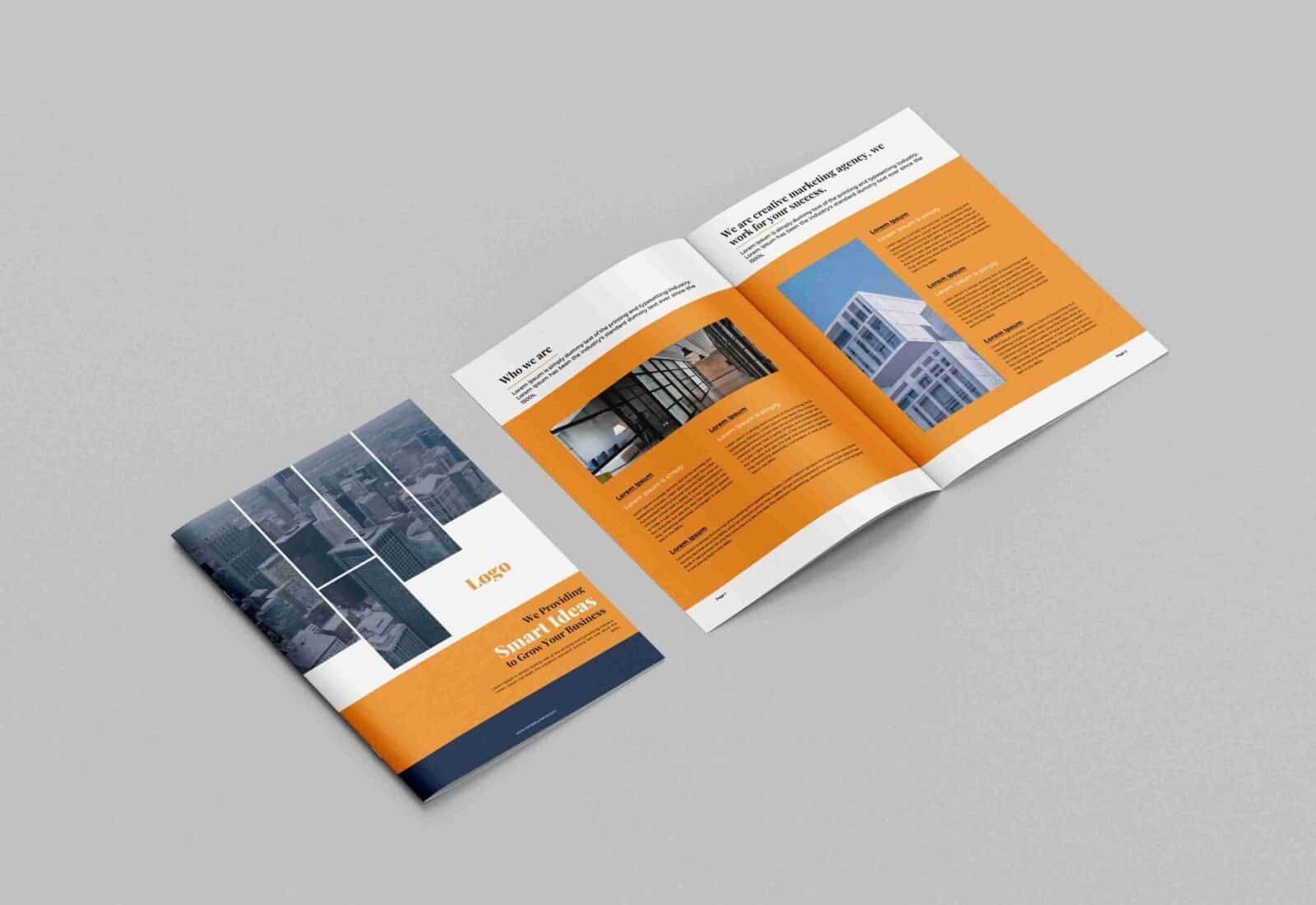
In commercial sales, trade show marketing, and corporate communications, brochures remain one of the most versatile physical collateral formats available.


In executive networking, corporate sales, and brand marketing, a business card serves as the primary physical bridge between an initial meeting and an ongoing professional relationship. Handing over a well-designed card establishes instant credibility and gives prospective clients a tactile reminder of your business capabilities. However, a common mistake designers and business owners make occurs long before the cards are handed out: failing to configure correct document dimensions, bleed lines, and safety margins during the artwork setup phase. When a digital file is built without proper print specifications, automated cutting blades can slice through vital contact details or leave thin, unsightly white slivers along the edges. Understanding standard sizing, bleed requirements, and prepress standards ensures your files move smoothly into production and trim cleanly. This comprehensive guide breaks down standard dimensions, technical margin rules, file resolution settings, and paper choices to help you design flawless corporate cards across the United States.
Business card dimensions vary depending on the geographic market where you conduct business. If you operate internationally, knowing the regional standards helps you format your layouts to fit local wallets, cardholders, and desk organizers seamlessly.
Whichever market you print for, you can order custom business cards online and coordinate them with custom presentation folders for a complete corporate set.
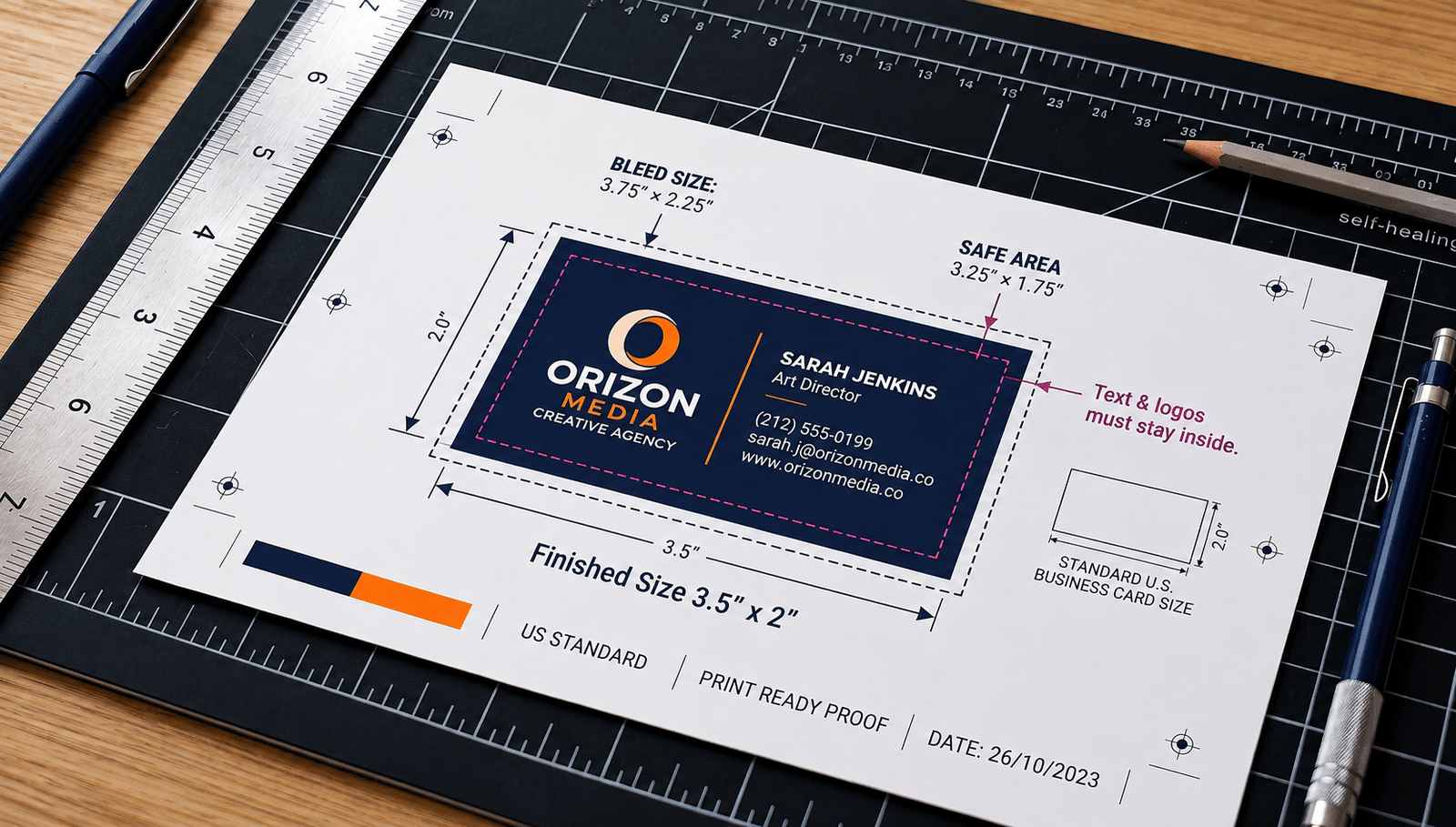
In commercial printing, bleed refers to the extra area of background artwork, pattern, or color that extends beyond the final cut line of the card. Because commercial print houses print multiple cards simultaneously on large parent sheets and trim them using mechanical cutting blades, slight microscopic shifts (called mechanical movement) can occur during the cutting process. If your design features a colored background or edge-to-edge photo that stops exactly at the final trim line (3.5″ × 2.0″), a minor shift of even 0.5 mm in the blade will expose the raw white edge of the paper stock. Extending your artwork into the bleed zone guarantees that your background color covers the card completely from edge to edge after trimming.
Every professional business card template relies on three concentric boundary boxes to guarantee clean printing and trimming.
| Document Zone | Exact Dimensions (US Standard) | Functional Purpose |
|---|---|---|
| Bleed Area | 3.75″ × 2.25″ (1125 × 675 px @ 300 DPI) | The full canvas size including the extra 0.125″ border where background graphics must extend. |
| Trim Line | 3.50″ × 2.00″ (1050 × 600 px @ 300 DPI) | The exact line where the mechanical blade cuts to separate the individual card. |
| Safe Zone | 3.25″ × 1.75″ (975 × 525 px @ 300 DPI) | The interior boundary where all critical text, phone numbers, and logos must remain. |
Maintaining a 0.125-inch buffer between the trim line and the safe zone ensures that no essential typography or contact details are accidentally clipped during cutting.
While the classic horizontal rectangle remains the corporate standard, alternative orientations and shapes can help creative agencies, lifestyle brands, and boutique studios stand out.
When setting up your design files in software such as Adobe Illustrator, Photoshop, or InDesign, working with the correct raster resolution prevents pixelated text and blurry vector logos. Commercial offset and digital presses require a minimum resolution of 300 DPI (Dots Per Inch) at 100% physical scale. Setting up a web-standard 72 DPI file will result in noticeably soft typography and muddy imagery on paper.
To set up a standard US card at 300 DPI with bleed in Adobe Photoshop:
Digital screens display color using the RGB (Red, Green, Blue) light spectrum, which can render ultra-bright, neon shades. In contrast, commercial printing presses apply CMYK (Cyan, Magenta, Yellow, Key/Black) inks onto physical paper. If you design a business card in RGB mode, the software must convert the colors to CMYK during prepress processing. This automatic conversion frequently causes vibrant blues, greens, and oranges to look dull or muddy on the finished card. Always set your design software to the CMYK color profile before choosing brand colors to ensure the printed ink tones match your digital layout accurately.
The physical thickness and weight of your cardstock create an immediate sensory impression when handed to a client. Flimsy paper feels disposable, whereas heavy cover stocks convey stability and attention to detail.
The same paper weights are available for promotional flyers when you need matching single-sheet collateral.
Applying a surface coating protects your printed artwork against finger oils, transit scuffs, and edge fraying while enhancing the visual tone of your layout.
You can also apply these premium coatings to spot UV hang tags for coordinated product branding.
Before submitting your artwork files to your commercial printing partner, run through this quick quality assurance checklist to prevent common production delays:
Printing clean, high-precision corporate stationery requires a commercial printing partner committed to accurate trimming, rich color reproduction, and durable paper stocks. At Printin Budget, we print professional corporate cards designed to help businesses make lasting first impressions. Our prepress specialists review your artwork files for proper resolution, bleed margins, and safe zone alignment before your order goes to press. Whether you need a short run of executive cards or wholesale quantities for an expanding corporate sales team, we provide sturdy paper stocks, crisp color fidelity, and dependable service to support your commercial goals. Connect with Printin Budget to explore paper options, verify your artwork dimensions, or request a custom printing quote for your project.
Q1: What is the standard business card size in the United States in inches and pixels?
The standard US business card trim size is 3.5″ × 2.0″ (88.9 mm × 50.8 mm). When set up in design software at commercial print resolution (300 DPI), the canvas measures 1050 × 600 pixels.
Q2: What canvas size is needed to include a 0.125″ bleed on a standard business card?
With a standard 0.125-inch bleed added to all four outer edges, the full document canvas must be set to 3.75″ × 2.25″ (1125 × 675 pixels at 300 DPI). Background artwork must extend to these outer edges to avoid white paper borders after trimming.
Q3: What is the safe zone margin for business card typography?
The safe zone is an interior boundary measuring 3.25″ × 1.75″ (0.125 inches inside the trim line). All critical contact information, names, phone numbers, and vector logos must remain inside this zone to prevent mechanical cutting blades from clipping content during automated production.
Q4: Why must business cards be designed in CMYK instead of RGB?
Digital screens render colors using RGB (additive light), while commercial printing presses apply CMYK inks to physical paper. Designing in RGB causes vibrant digital tones to shift or appear dull when automatically converted to CMYK during prepress processing.
Q5: What is the difference between 14pt, 16pt, and 18pt business card stock?
A point (pt) measures cardstock thickness in thousandths of an inch. A 14pt stock (0.014″) is lightweight and flexible for high-volume promotions; 16pt (0.016″) is the standard rigid corporate benchmark for daily networking; and 18pt+ stock provides an extra-thick, dense feel for luxury brands and executive leadership.
In commercial sales, trade show marketing, and corporate communications, brochures remain one of the most versatile physical collateral formats available.

Selecting the right physical print format is one of the most critical decisions when launching a direct-to-consumer marketing or local

In service industries, field contracting, logistics, and wholesale commerce, generating instant physical documentation during client interactions remains critical for legal